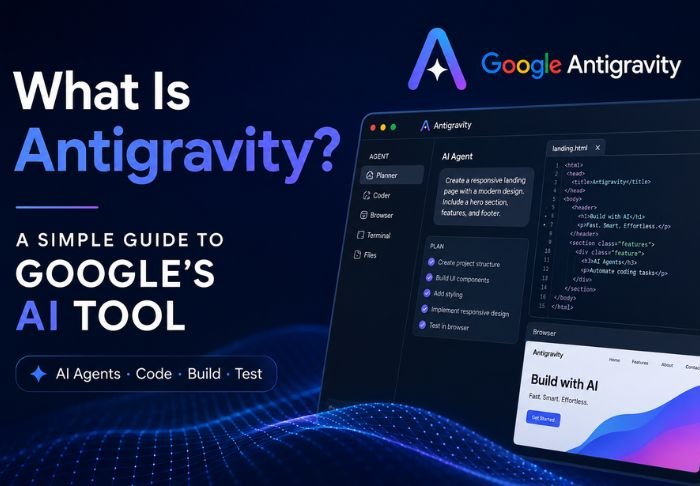

Google Antigravity is an iconic browser game that uses the principles of physics to create a wacky experience. Defying gravity is the basis of this browser game that shows how web browsers have the power to fully break the laws of physics as long as they have the help of the design team of a search engine.
The team at wordle.news appreciates all kinds of viral Internet experiments, history and Easter eggs. Google Antigravity will surely provide a short and unique break from your standard online experience.
What Is Antigravity?
The key to understanding Google Antigravity lies in the browser-based physics games that preceded it. The creative technologist, Mr. doob (Ricardo Cabello) was the first to demonstrate zero-gravity simulation by writing a script that allowed elements to collapse and drift, giving the impression that there is in fact zero-gravity.
We hope you enjoy this simple, yet entertaining, browser game as much as we do!
How Does Google Antigravity Actually Work?
Google Antigravity looks magical on your display, but the wizardry happens in front end coding and 2D physics engines. Here’s how it works.
- DOM Element Detachment: There’s a script that takes normal Document Object Model (DOM) elements such as text boxes, icons, and menus, and turns them into physical elements.
- Physics Engine Integration: The browser uses physics engines (like Box2D or custom scripts) to figure out mass, friction, velocity, and bounce vectors in real time.
- Interactive Flinging: Since collision detection is always on, you can click and drag buttons and letters to fling them across your screen to watch them bounce off the edges of your browser window.
How to Try Google Antigravity Today
Since the experiment is a creative demonstration, and not a native feature, you can access Google Antigravity like this:
- Go to elgooG or Mr. Doob: Go to your browser, then go to some of the wayback machine mirror sites.
- Search via Google: Search for the phrase, click the first community archived result, or use “I’m feeling Lucky” if you have that option.
- Interact with the Interface: Click anywhere on the page to cause the navigation to collapse, then use your mouse or touch screen to fling the search bar, move the pieces of the broken logo, and search within the broken interface.
Why Google Antigravity Became an Internet Phenomenon
The enduring fame of Google Antigravity is due to a few distinctive features:
| Feature | Why Users Love It |
| Instant Playfulness | It transforms an ordinary, utilitarian tool into a digital sandbox within seconds. |
| Showcase of Web Potential | During the early rollout of HTML5 and modern JavaScript, it proved that browsers could render real-time physics without third-party plugins like Flash. |
| Shareable Office Prank | Loading the broken, floating search page on a colleague’s computer became a lighthearted staple of early 2010s tech culture. |
Other Google Interactive Search Tools
If you enjoy playing with Google Antigravity, check out some related search tricks and games:
- Google Gravity: Its downward-falling sister where all the icons tumble to the bottom, like a heap of bricks.
- Do a Barrel Roll: Typing “do a barrel roll” into a standard Google search causes the entire page to rotate 360 degrees.
- Google Underwater: A version where the search box is surrounded by ocean waves and is inhabited by tropical fish and sharks.
- Google Sphere: An experimental search page where all surrounding links appear to orbit the central search box.
The Continuing Appeal of Web Easter Eggs
Interactive novelties from the early days of the web captured the experimental nature of web developers at the time. Here at wordle.news, we celebrate simple experiments. The development of simple web page apps like Google Antigravity to amuse and entertain people for a couple of minutes is something we strongly appreciate. Playfully tossing the search bar across the page is incredibly satisfying.
FAQs: Google Antigravity
1. What is Google Antigravity in simple terms?
Google Antigravity refers to two things:
- The Classic Web Easter Egg: A fun interactive webpage where the Google search homepage loses gravity, causing the logo, search bar, and buttons to float and bounce around your screen.
- The Modern AI Development Platform: Google’s agent-first coding IDE (powered by Gemini) that lets autonomous AI agents manage code, execute terminal commands, and test web apps directly.
2. Is Google Antigravity free?
- Web Trick / Easter Egg: Yes, 100% free with no sign-up needed on archive mirrors like elgooG.
- AI Coding IDE: Yes, it offers a free individual tier with weekly usage limits, alongside paid options (such as Google AI Pro/Ultra tiers) for heavier workloads.
3. Is Google Antigravity better than Cursor?
Neither is universally better—they serve different workflows:
- Cursor is better if you want a reliable, daily-driver code editor with lightning-fast autocomplete and direct human control over production code.
- Google Antigravity is better if you want to delegate entire tasks, multi-agent workflows, and browser tests autonomously while you supervise.
Also Read: Indian Holidays Calendar: Complete Guide with Festivals, National Days & Planning Tips



[…] Also Read: What Is Google Antigravity? […]